A better way to run a hawker stall.
One focused product family for counter orders, customer confirmation, self ordering and PayNow payment alerts—designed for the rhythm of Singapore hawkers.
Start with POS. Add what helps.
Each product solves a distinct moment in the service flow while working as one understandable system for a small stall team.
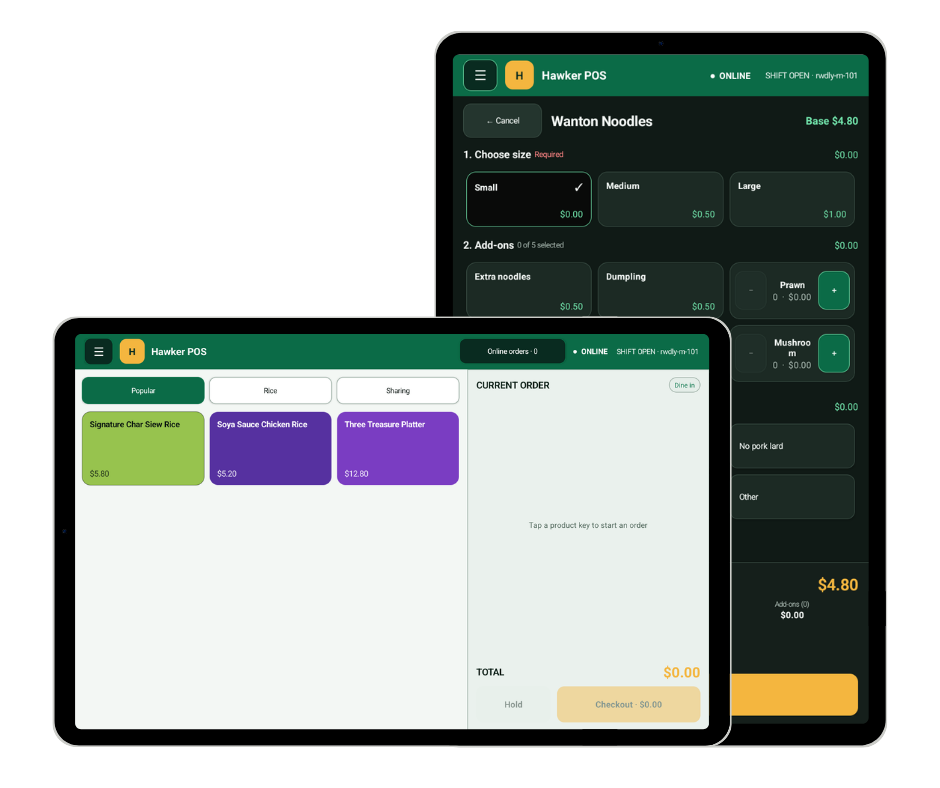 01 · Hawker POS
Fewer taps when every second matters.
Hawker POS keeps the core counter flow focused: find the item, apply its size or add-ons, choose fulfilment and complete checkout.
Organise popular items and categories so the team can move through the queue without navigating unnecessary screens.
Handle sizes, add-ons, exclusions and preparation choices consistently instead of relying on repeated verbal instructions.
Keep the order, total and payment-ready action together for a simpler staff experience.
Let the customer confirm the order.
Hawker CFD gives customers a clear view of the basket before payment, reducing uncertainty around items, modifiers and the final total.
Show the live order on a dedicated customer-facing screen instead of asking customers to rely on a verbal recap.
Give customers a chance to identify the wrong item, size or add-on before payment and preparation.
Keep the amount and order contents clear at the moment the customer confirms.
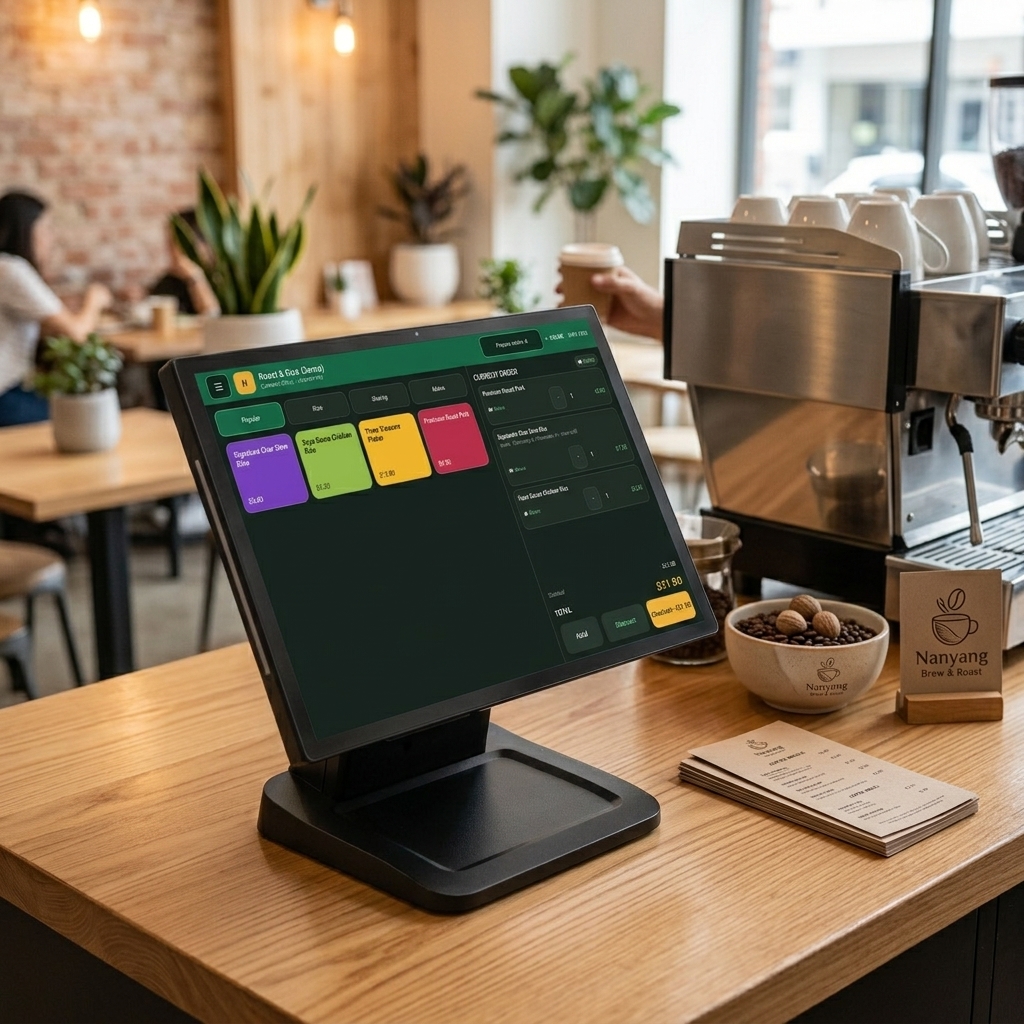 02 · Hawker CFD
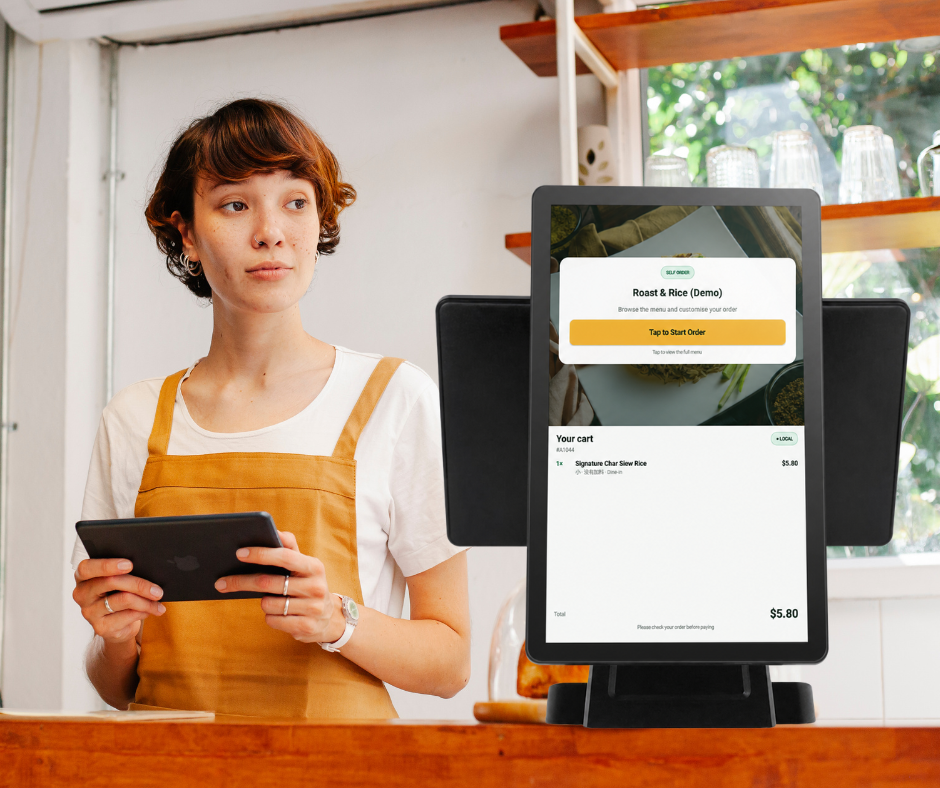 03 · Self Ordering
Open another lane without adding another cashier.
Self Ordering lets customers browse and build their own order while the stall team concentrates on preparation and service.
Let customers see the menu, available choices and prices at their own pace.
Guide required sizes, add-ons and options so every order arrives with the information the kitchen needs.
Bring self orders into the same operating flow instead of creating a separate manual queue.
Hear the payment. Keep the details.
HOPPY shows and announces confirmed PayNow payments, then keeps the amount, time, status and reference available in a stall-scoped history.
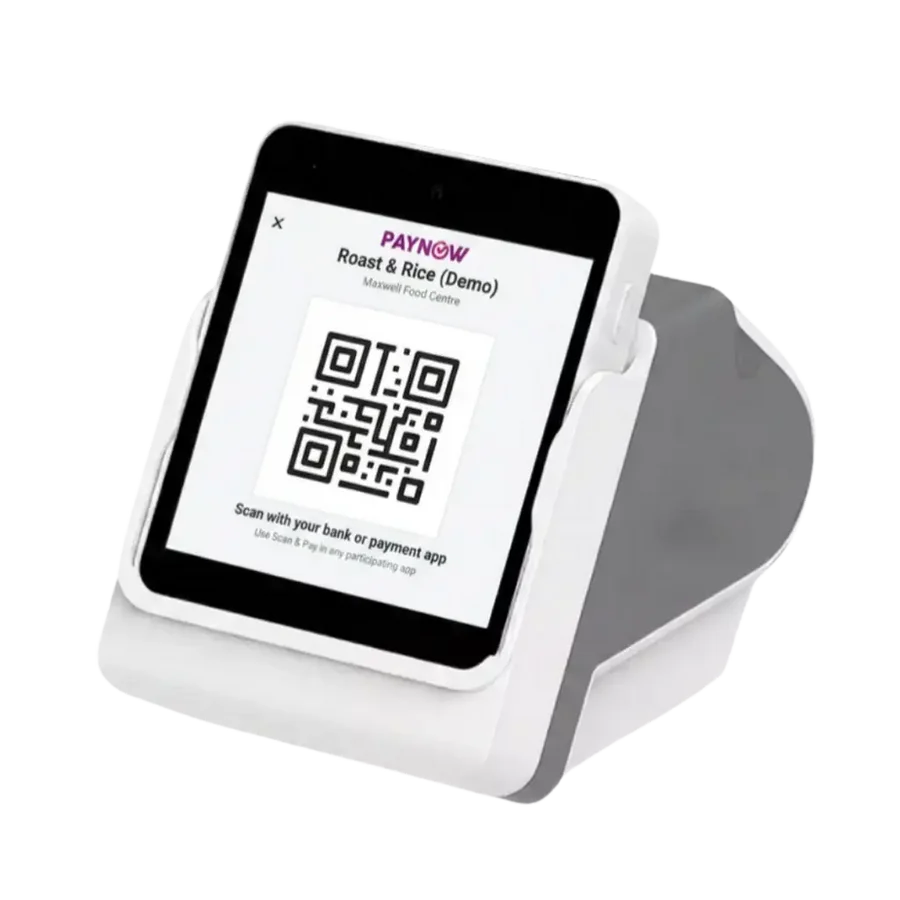 04 · HOPPY Soundbox
Order. Confirm. Pay. Serve.
A focused flow protects service speed and order accuracy without turning a hawker stall into a complex enterprise implementation.
Capture it clearly
Staff use Hawker POS or customers use Self Ordering.
Show the basket
Hawker CFD makes items, choices and total visible.
Confirm PayNow
HOPPY provides an audible and visible payment record.
Focus on the food
The stall team receives a clearer order and keeps the queue moving.